In the dynamic world of PC gaming, every millisecond and every inch of desk space counts. A well-optimized gaming setup isn’t just about powerful hardware; it’s about seamless integration that keeps you immersed without unnecessary distractions. While many might overlook it, a dedicated phone holder can be a game-changer, transforming your smartphone from a potential distraction into a valuable companion, keeping essential apps like Discord, Twitch chat, or game guides visible and accessible without breaking your focus. This comprehensive guide will navigate you through the best phone holders, ensuring your phone enhances, rather than detracts from, your serious PC gaming experience.
Phone Holders: A Comprehensive Guide for PC Gaming Setups
Integrating a phone holder into your PC gaming setup can significantly improve workflow and reduce interruptions. Choosing the right holder means understanding the variety available and how each type caters to different gaming environments and preferences. From minimalist designs to robust, multi-functional units, there’s a perfect match for every gamer.
Popular Types of Phone Holders for Gamers
When selecting a phone holder for your gaming setup, you’ll encounter several main categories, each with distinct advantages. Understanding these types is crucial for finding one that seamlessly integrates with your existing desk space and gaming habits. The ideal choice balances accessibility, stability, and minimal obstruction to your primary screen.
- Desk Stands: These are the most common and versatile, typically featuring an adjustable angle and sometimes height. They are excellent for placing your phone directly on your desk, offering a stable base for easy viewing. Many are foldable, making them portable for LAN parties or quick storage.
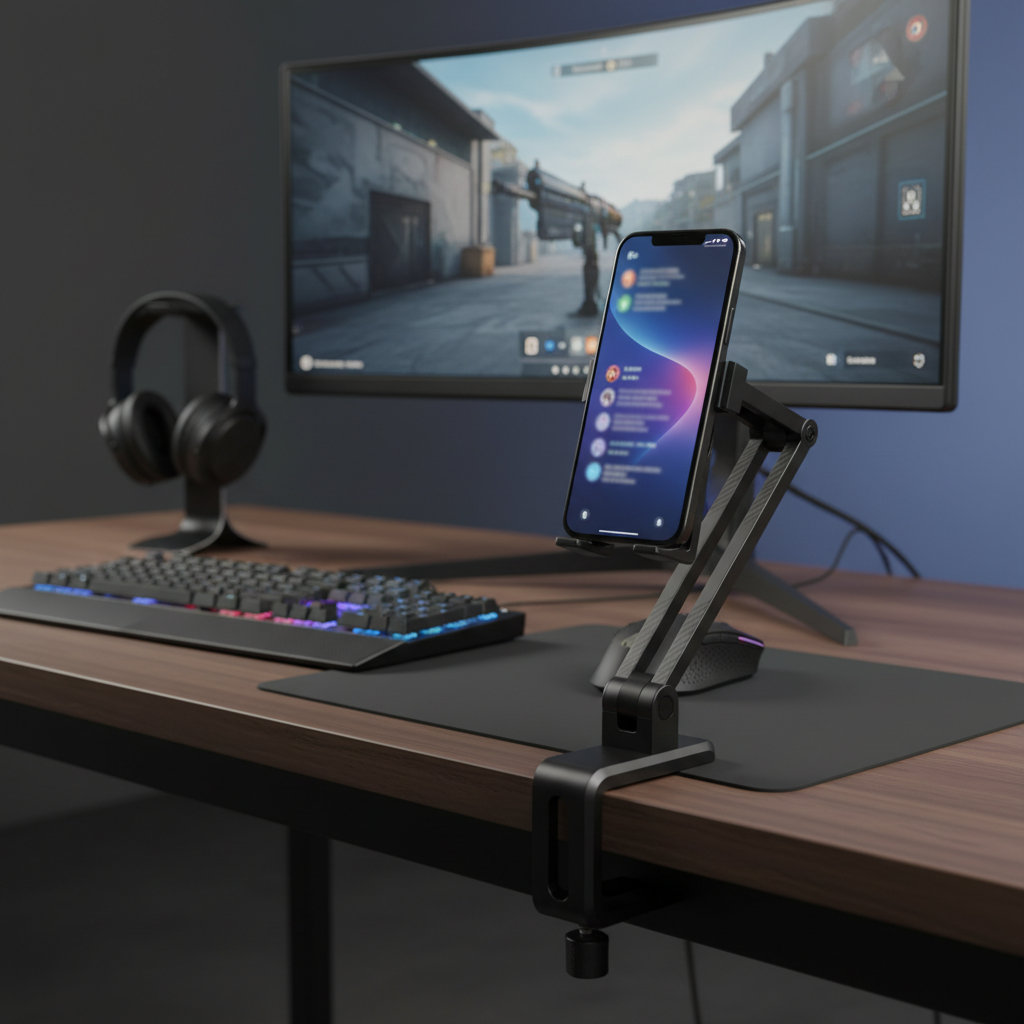
- Desk Clamp Mounts: Utilizing an articulating arm or gooseneck, these holders attach to the edge of your desk. They free up desk surface area and allow for highly flexible positioning, often extending the phone closer to your eye line or directly above your keyboard. These are particularly favored by streamers who need a specific camera angle for their phone.
- Monitor Mounts: These innovative holders clip or adhere directly to your monitor bezel, placing your phone right next to your main screen. This creates a unified visual experience, almost like a dual-monitor setup, ideal for quick glances at chat or notifications without shifting your gaze too far. Some magnetic versions offer MagSafe compatibility for effortless attachment.
- Magnetic Holders: Beyond monitor mounts, magnetic holders can also come as small adhesive pads or stands that attach to various surfaces. They offer a quick and easy way to dock and undock your phone, often with 360-degree rotation, but require a metal plate on your phone or MagSafe compatibility.
- Specialized Gaming Stands: These might be integrated into controller stands, headphone stands, or even gaming desks themselves. They often feature gaming-themed designs or offer multi-purpose functionality, catering specifically to a gamer’s ecosystem.
|
Our Picks for the Best Phone holder in 2026
As an Amazon Associate I earn from qualifying purchases.
|
||
| Num | Product | Action |
|---|---|---|
| 1 | Lamicall Gooseneck Phone Holder for Bed - Cell Phone Mount Clamp Clip, Flexible Long Arm, Overhead Mount for Desk Headboard Bedside, Gifts for iPhone Air 17 Pro Max, 16 15 14 Pro Max and 4-7" Phone |

|
| 2 | Miracase Phone Holders for Your Car with Metal Hook Clip, Air Vent Cell Phone Stand Car Mount, Universal Automobile Cradle for Garmin GPS Fit iPhone Android and All Smartphones, Dark Black |
|
| 3 | Qifutan Car Phone Holder Mount Phone Mount for Car Windshield Dashboard Air Vent Universal Hands Free Automobile Cell Phone Holder Fit for iPhone Smartphone Camera Mounts |
|
| 4 | [2026 True Military-Grade] Car Phone Holder VANMASS [Upgraded Strongest Suction & Clip] Cell Phone Mount for Dashboard Windshield Vent Wall,Truck Cradle Stand for iPhone 17 Pro Max 16 15 14 13 Android |
|
| 5 | Nulaxy Dual Folding Cell Phone Stand, Fully Adjustable Foldable Desktop Phone Holder Cradle Dock Compatible with iPhone 17 16 15 14 13 12 11 Pro Max Xs Xr X 8, Nintendo Switch, All Phones |
|
| 6 | ANDERY Car Phone Holder for Magsafe [78+LBS Strongest Suction & 2400gf Magnetic] 360° Adjustable Car Phone Mount, Phone Holders for Your Car for iPhone 17 Pro Max 16 15 14 13 12 Plus Air, Carbon Fiber |
|
| 7 | LISEN Gooseneck Phone Holder for Bed Desk [3rd Upgrade] Cell Phone Stand for Desk Bed Gaming Accessories,Gifts for Men Mom Senior Tech Mount for Recording Filming Laying Down Flexible Magic Arm Clamp |
|
| 8 | EUCOS 62" Phone Tripod, Tripod for iPhone & Selfie Stick with Remote, Extendable Cell Phone Stand & Ultimate Phone Holder, Solidest Phone Stand Compatible with iPhone/Android |
|
| 9 | Qifutan Dash Mounted Holders Phone Holders for Your Car Phone Mount for Car Windshield Dashboard Air Vent Universal Desk Mounts Hands Free Automobile Cell Phone Holder Fit for iPhone Smartphone |
|
| 10 | Kaistyle for Magsafe Car Mount【20 Strong Magnets】Magnetic Phone Holder for Car Phone Holder Mount Dash Mounted Holders Cell Phone Holders for Your Car Accessories for Women Men for iPhone 17 16 15 14 |
|
[image-1|gaming-desk-phone-holder-types|An illustrative image showing various types of phone holders suitable for PC gaming setups, including a desk stand, a desk clamp mount, and a monitor mount, each with a smartphone displaying gaming-related content like chat or a game guide. The background should be a modern gaming desk with RGB lighting.|
Illustrative image showing three distinct phone holder types: a sleek black desk stand holding a phone showing Discord chat, a silver articulating desk clamp holding a phone displaying a game walkthrough, and a minimalist magnetic monitor mount with a phone showing Twitch stream comments. The backdrop is a clean, modern PC gaming desk with a large monitor, mechanical keyboard, and subtle RGB lighting, emphasizing integration and utility. Isometric view, digital illustration style.]
Key Criteria for Choosing a Gaming Phone Holder
Selecting the perfect phone holder goes beyond just aesthetics; it involves a careful consideration of practical features that enhance your gaming experience. For serious PC gamers, factors like stability, adjustability, and compatibility are paramount to ensure seamless integration and reliable performance. Making an informed choice prevents common frustrations like wobbling or obstructed views.
- Stability and Durability: In the heat of an intense gaming session, the last thing you want is a wobbly phone holder. Look for holders made from robust materials like aluminum alloy or high-grade ABS plastic. Anti-slip silicone pads on the base or clamp ensure your phone stays put, even during accidental desk bumps or rapid movements. A heavy, wide base is ideal for desk stands, while strong, secure clamps are essential for desk and monitor mounts.
- Adjustability and Ergonomics: Optimal viewing angle is critical. A good holder should offer a wide range of adjustability in height, tilt, and 360-degree rotation. This allows you to position your phone precisely where it’s visible without straining your neck or eyes, minimizing interruptions to your main screen. Gooseneck designs and articulating arms excel in this area.
- Compatibility: Ensure the holder can securely accommodate your specific phone model, including any cases you use. Some holders are designed for specific phone sizes, while others offer a universal fit for devices ranging from 4 to 8 inches, or even larger tablets. MagSafe compatibility is a significant plus for newer iPhones, offering magnetic attachment without clamps.
- Desk Integration & Space-Saving: Gaming desks can quickly become cluttered. Consider how the holder will fit into your existing setup. Desk clamps and monitor mounts are excellent for saving precious desk space. Think about cable management—does the design allow for charging cables to be neatly routed, preventing tangles? The overall aesthetic should also complement your gaming rig.
- Additional Features: Some advanced phone holders come with extra functionalities that can be particularly useful for gamers. These might include built-in wireless charging capabilities, modular designs that allow conversion to GoPro mounts for streaming, or quick-release mechanisms for easy phone removal and re-attachment.
Comparing Top Phone Holders for PC Gaming Setups Today
While specific models constantly evolve, certain types and feature sets consistently emerge as top contenders for PC gaming environments. High-quality phone holders distinguish themselves through robust construction, versatile adjustability, and thoughtful design elements that cater to a gamer’s unique needs for quick access and an uncluttered setup.
Desk stands with adjustable height and angle, often crafted from aluminum, provide a sturdy base and ergonomic viewing. Brands like UGREEN and Lamicall offer popular foldable desk stands that balance portability with stability through anti-slip silicone pads. For those seeking to reclaim desk space, clamp-on gooseneck or articulating arm mounts are excellent. Products similar to the Cellet Flexible Gooseneck holder offer extensive reach and 360-degree rotation, allowing placement over monitors or beside the keyboard without taking up prime surface area. Monitor mounts, such as the NEEWER SP08, are highly valued for their seamless integration, placing the phone directly adjacent to the main display for easy glanceability, especially useful for live streamers. Many of these utilize magnetic attachment for MagSafe compatible devices or include adhesive rings for other smartphones.
“A truly effective phone holder for gaming should be almost invisible in your setup, providing utility without ever becoming a point of distraction or frustration. Its presence should be felt through convenience, not obstruction.” – Alex Chen, Esports Gear Analyst
How to Integrate a Phone Holder into Your Gaming Setup
Successfully integrating a phone holder into your PC gaming setup requires more than just choosing the right product; it involves thoughtful placement and consideration of your personal workflow. A strategic approach ensures the holder enhances your gaming experience without introducing new hassles or clutter. Taking a few moments to plan can make a significant difference.
First, assess your current setup. Identify available desk space, the type and number of your monitors, and where your keyboard and mouse are typically positioned. Do you have a desk edge for a clamp, or is a freestanding desk stand more suitable? Consider how your cables are routed and where your power outlets are.
Next, determine your primary use for the phone during gaming. Are you mainly checking Discord messages, monitoring Twitch chat, using a companion app, or simply keeping an eye on notifications? This will influence the optimal viewing height and angle. For instance, chat monitoring might require the phone to be perfectly aligned with your eye-level, while occasional notification checks allow for a slightly lower placement.
When installing the holder, ensure clamps are securely fastened to prevent wobbling. If using an adhesive mount, prepare the surface properly for maximum adhesion. Position your phone so it doesn’t obstruct your main monitor or create an awkward head turn. Experiment with different angles and heights until you find a position that feels natural and non-intrusive. Finally, consider cable management. Many holders have cutouts or designs that allow charging cables to pass through neatly, keeping your gaming area tidy and free from tangles. Regularly clean your phone holder, especially if it uses adhesive pads or magnetic surfaces, to maintain optimal grip and appearance.
Reputable Brands for Gaming Phone Holders
While many brands produce phone holders, a few have consistently demonstrated a commitment to quality, durability, and user-centric design that resonates with the needs of serious PC gamers. These brands often focus on robust materials, versatile adjustability, and stable mounting solutions, ensuring a reliable addition to any high-performance setup.
Brands like Lamicall and UGREEN are frequently cited for their range of reliable and well-built desk stands and gooseneeneck mounts, often featuring sturdy aluminum construction and anti-slip finishes. Anker, while renowned for charging accessories, also offers popular magnetic phone grips and stands, including MagSafe-compatible options that provide strong, convenient attachment. For those seeking monitor integration, companies producing innovative monitor-side mounts (often found under specific product names rather than broad brands, such as those compatible with MagSafe or universal clip designs) have emerged, offering seamless visual alignment with your primary display. When choosing, prioritize brands known for good customer reviews, robust warranty policies, and products made with high-quality metals or durable plastics, ensuring your investment enhances your gaming setup for years to come.
[image-2|gaming-phone-holder-setup-example|A close-up view of a gamer’s PC setup featuring a sleek, modern phone holder securely positioned to the side of a large gaming monitor, displaying Discord chat. The image highlights the phone holder’s stable mount and ergonomic angle, with subtle RGB lighting from the PC components and keyboard creating a gaming atmosphere.|
Close-up of a modern PC gaming setup. A black smartphone is securely held by a minimalist, articulating desk clamp phone holder, positioned slightly to the left of a large, ultrawide gaming monitor. The phone screen clearly shows a Discord chat window. Subtle RGB lighting emanates from the mechanical keyboard and the PC tower in the background, casting a soft glow. The focus is on the seamless integration of the phone holder into the high-performance gaming environment, from a slightly elevated eye-level perspective, realistic rendering.]
Conclusion
Choosing the best phone holder for your serious PC gaming setup is a nuanced decision that can significantly impact your overall experience. By considering factors like stability, adjustability, compatibility, and how it integrates with your existing desk space, you can transform your smartphone from a potential distraction into a valuable tool. The right holder provides quick access to essential information, streamlines communication, and maintains your immersion, allowing you to focus on dominating your virtual worlds. Invest wisely, and you’ll find your phone holder becomes an indispensable part of your ultimate gaming rig. What role do you envision your phone playing in your ideal gaming setup?
Frequently Asked Questions
What type of phone holder is best for a small gaming desk?
For a small gaming desk, a desk clamp mount or a monitor mount is usually ideal. These options free up valuable surface area by attaching to the edge of your desk or directly to your monitor, providing accessibility without clutter.
Can I use a phone holder for streaming or recording gameplay?
Absolutely. Many phone holders, especially those with articulating arms or flexible goosenecks, are perfect for streaming or recording. They allow you to position your phone precisely for optimal camera angles, whether capturing your facecam or a specific detail of your setup.
How do I ensure my phone holder is stable during intense gaming?
Stability is key. Look for holders made from durable materials like aluminum, with a heavy base for desk stands or strong, secure clamps for desk/monitor mounts. Anti-slip silicone padding on contact points also helps prevent movement.
Are magnetic phone holders safe for my smartphone?
Yes, magnetic phone holders are generally safe for modern smartphones. They typically use magnets that won’t interfere with your device’s internal components. For non-MagSafe phones, ensure the adhesive metal plate is applied correctly for a secure hold.
What features should I look for if I want to charge my phone while gaming?
If you plan to charge your phone, look for holders with open access to the charging port or those that integrate wireless charging. Good cable management features, like routing channels, are also beneficial to keep your setup tidy.